Render Unique Identifier (key)
The render unique identifier (key) works the same way as the key prop on React components: it uniquely identifies a component when switching rendering scenarios or components.
You can find this setting in the Advanced section of the component's right-side configuration panel. It is typically used together with Conditional render and Loop.

Scenarios where "Render unique identifier" is required
Scenario 1: Switching between similar components
In the scenario below, when Hobby is set to Games, show Favorite game; when set to Sports, show Favorite sport.
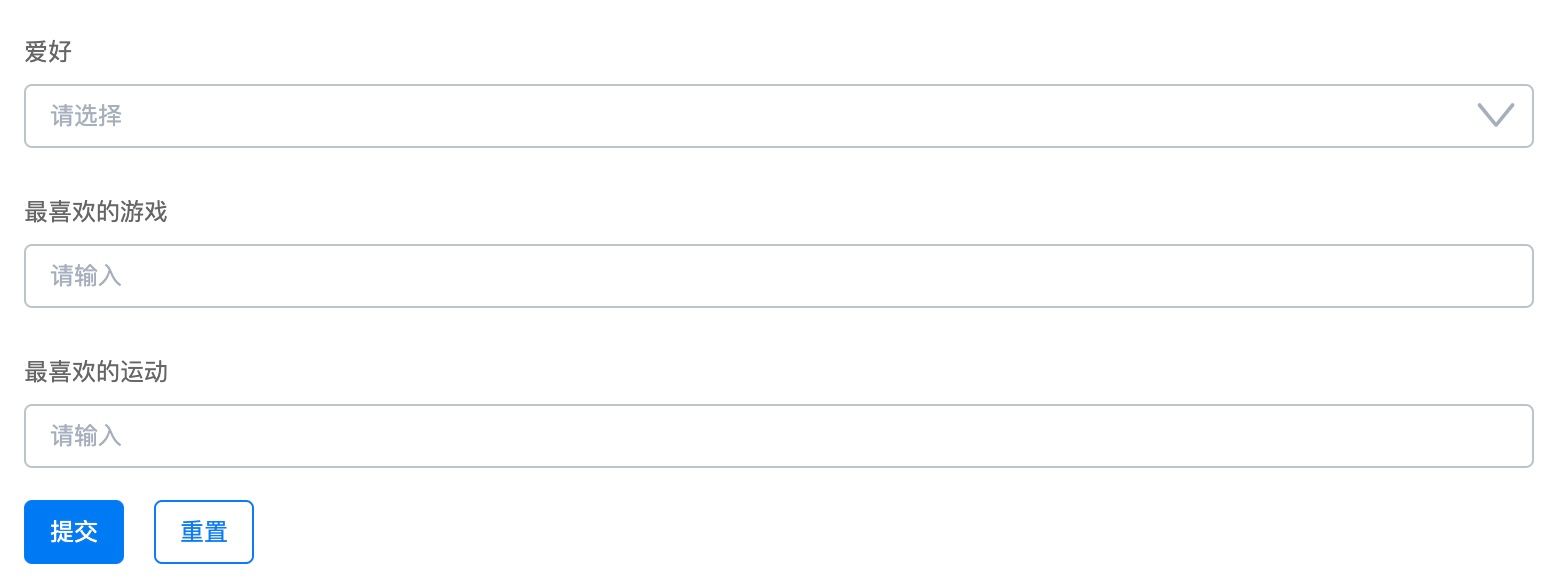
Configure as follows:
- Add a variable data source:
hobby - Set the form identifier of Favorite game to
game, and bind Conditional render to the variablestate.hobby === 'Games'
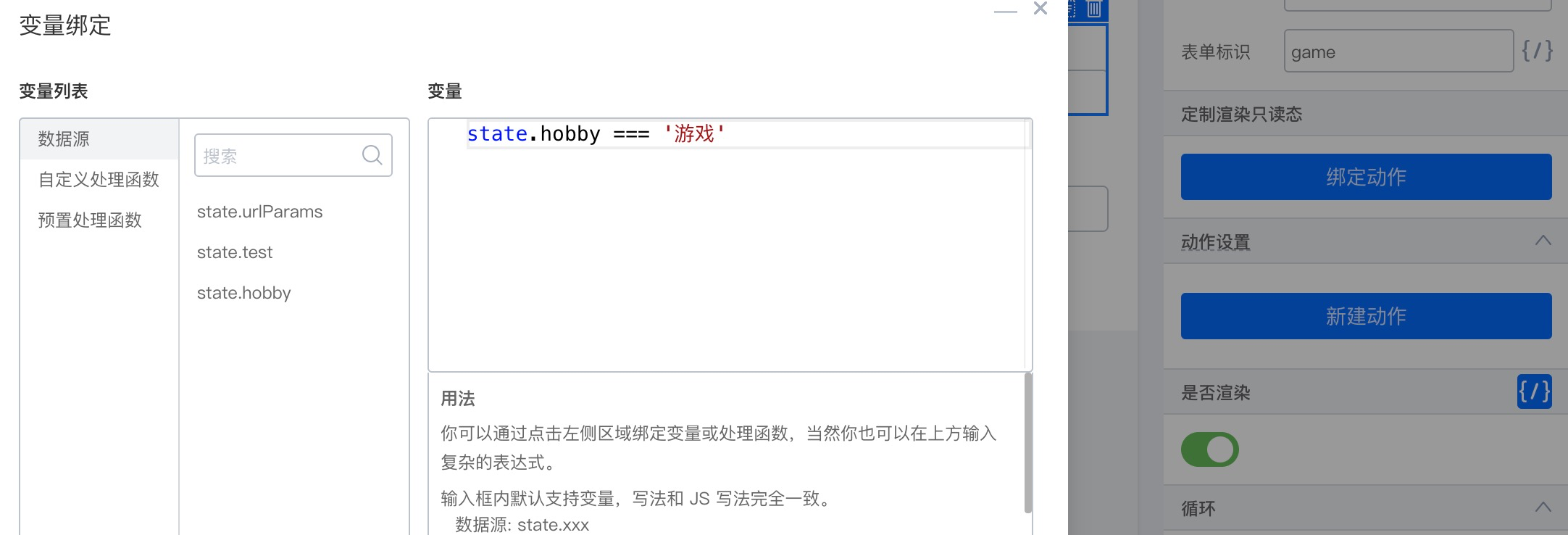
- Set the form identifier of Favorite sport to
sport, and bind Conditional render to the variablestate.hobby === 'Sports' - Configure an onChange action for Hobby
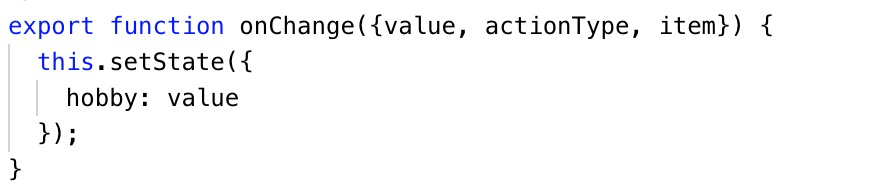
- Bind an onClick action to the Submit button

With the configuration above (without a render unique identifier), switching hobbies does update the text field below, but on submit you will find that even when Sports is selected, the sport field contains the value from Favorite game.
Reason: when switching text field components, the underlying layer reuses the previous component because no key was set.
For this scenario, simply set a Render unique identifier on both components.