Architecture Overview
Layered architecture
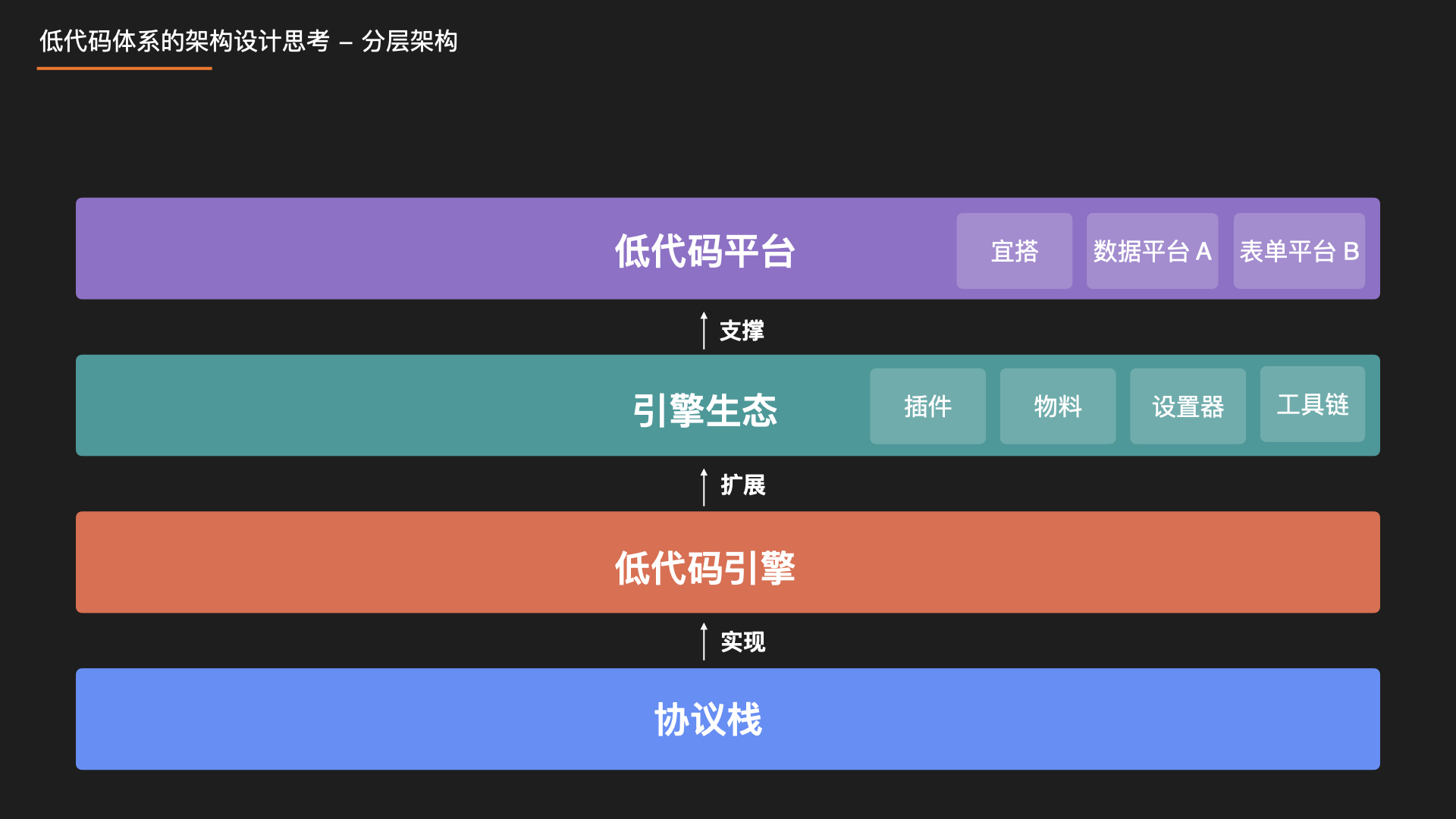
We designed this layered architecture. From bottom to top: Protocol — Engine — Ecosystem — Platform.
- The bottom protocol stack defines standards. Unified standards make interoperability of upper-layer artifacts possible.
- The engine implements the protocols and, through capability output, supports the open ecosystem above, providing various ecosystem extension capabilities.
- The ecosystem is easier to understand: it extends the engine core, including materials, setters, plugins, and toolchains that support the development system.
- Finally, each platform combines engine kernel and ecosystem products to form a low-code platform that meets its needs.
Each layer has a clear role and stays in its lane. Protocols do not decide how the engine is implemented; the engine does not implement specific upper-layer platform features; platform customization is done through plugins. These principles run through our system design and implementation.
Engine kernel overview
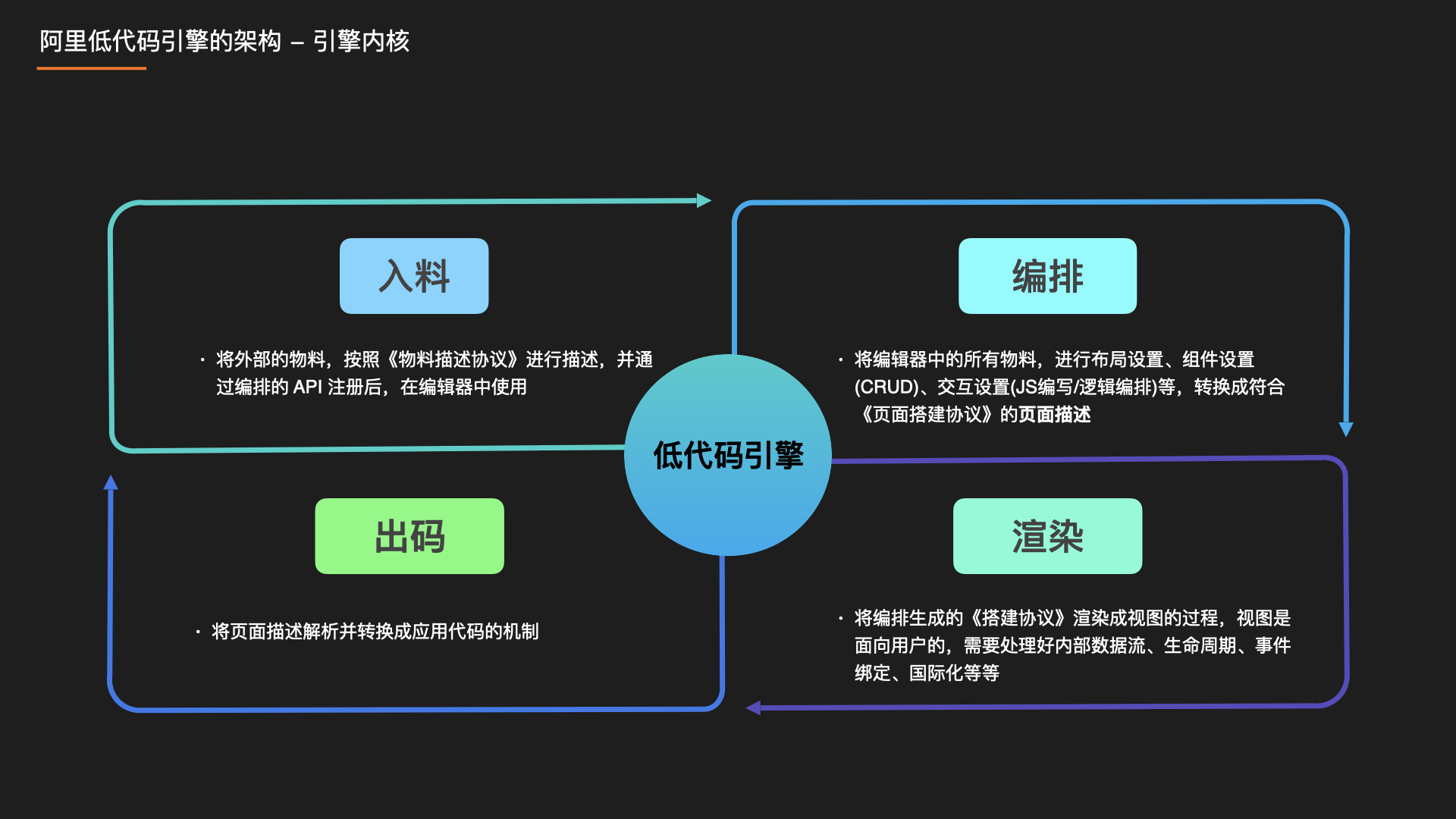
The low-code engine has four major modules: Material Parser — Editor — Renderer — Code Generator:
- The material parser module takes external materials, such as a large number of npm components, and describes them according to the Low-Code Engine Material Protocol Specification. After registering the described data through engine APIs, they can be used in the editor.
Note: this only adds descriptions; it does not rewrite components, so we can reuse components already built in the ProCode system as much as possible.
- Editor (orchestration), in essence, continuously produces page descriptions that conform to the Low-Code Engine Building Protocol Specification: layout settings, component CRUD, JS/CSS authoring, logic orchestration, and so on, eventually turning into a page description. Technical details are expanded later.
- Renderer, as the name suggests, renders the page description structure produced by orchestration into a view. Because the view is user-facing, it must handle internal data flow, lifecycle, event binding, internationalization, and more.
- Code generation converts page descriptions produced during orchestration that conform to the Low-Code Engine Building Protocol Specification into another DSL or programming language.
Engine ecosystem overview
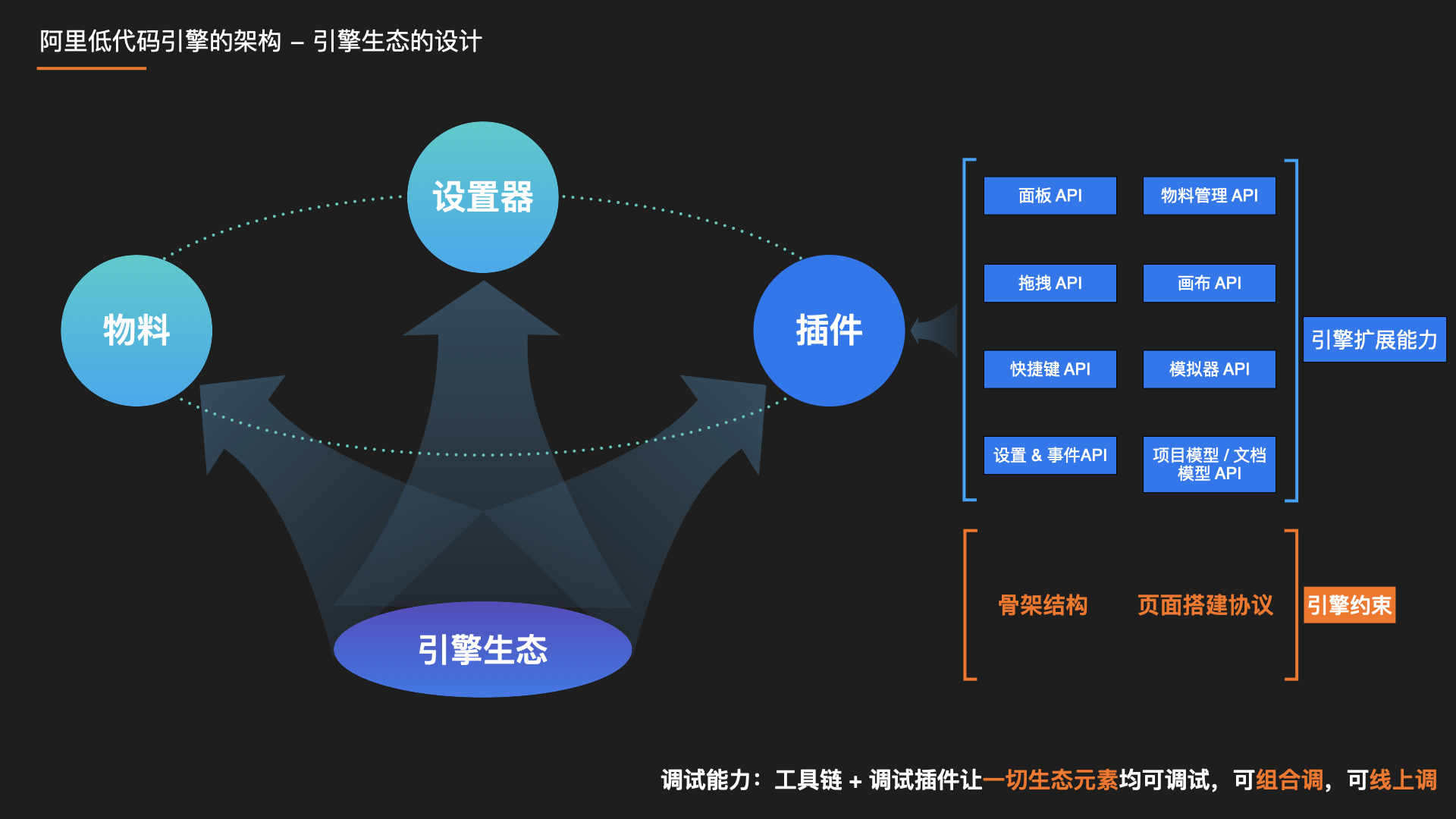

The engine ecosystem has three main parts: materials, setters, and plugins.
Material ecosystem
Materials are the production input of a low-code platform. Without materials, a low-code platform has no foundation. Low-code platform materials are low-code components. Therefore the low-code material ecosystem refers to:
- Low-code material production capabilities and standards.
- A material center that manages low-code materials uniformly.
- A Fusion Next-based low-code base component library.
Setter ecosystem
For properties of integrated materials, different setters are needed.
For example, configuring a numeric age needs a number setter; configuring an object-type hobby needs an object setter, and so on.
Each setter is essentially a React component that receives parameters from the engine, such as value and onChange. value is the initial value; onChange is the callback when the setter value changes, writing the value back to the engine.
// A minimal text setter example
class TextSetter extends Component {
  render() {
    const { value, onChange } = this.props;
    return <input value={value} onChange={(e) => onChange(e.target.value)} />;
  }
}
Most components use the same or similar setters. Like building a low-code base component library, the setter ecosystem is a set of base setters for most component configuration scenarios.
Custom setter capabilities are also provided.
Plugin ecosystem
The low-code engine itself contains only a minimal kernel. Buttons, panels, and other parts of the designer you see are provided by plugins. Plugins are essential parts of the designer.
We therefore provide an official plugin ecosystem that supplies basic designer functionality, helping users quickly build their own designer through plugins.