Plugin Extension - Orchestration Extension
Scenario 1: Extend Selected Node Actions
Add Node Actions
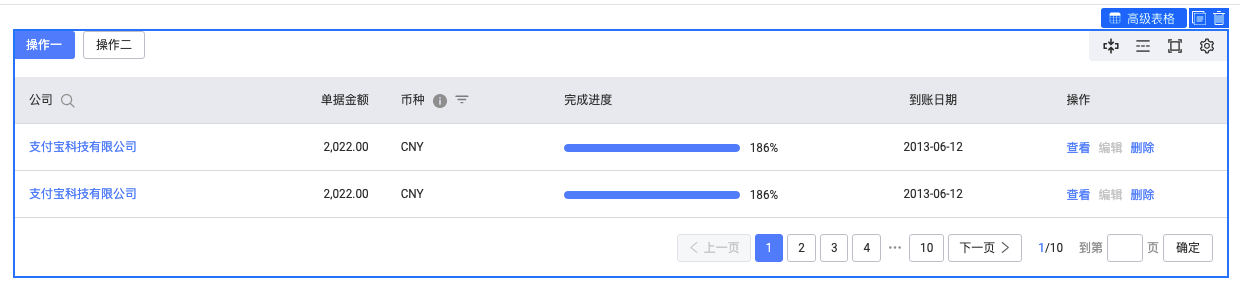
After selecting a node, action buttons appear in the top-right of the selection box. In addition to the default view parent, copy, and delete buttons implemented by the orchestration module, you can extend more actions through related APIs:
import { plugins } from '@rchh/lowcode-engine';
import { IPublicModelPluginContext, IPublicModelNode } from '@rchh/lowcode-types';
import { Icon, Message } from '@alifd/next';

const addHelloAction = (ctx: IPublicModelPluginContext) => {
  return {
    async init() {
      ctx.material.addBuiltinComponentAction({
        name: 'hello',
        content: {
          icon: <Icon type="atm" />,
          title: 'hello',
          action(node: IPublicModelNode) {
            Message.show('Welcome to Low-Code engine');
          },
        },
        condition: (node: IPublicModelNode) => {
          return node.componentMeta.componentName === 'NextTable';
        },
        important: true,
      });
    },
  };
};
addHelloAction.pluginName = 'addHelloAction';
await plugins.register(addHelloAction);
Result:

See API reference: API Documentation
Remove Node Actions
import { plugins } from '@rchh/lowcode-engine';
import { IPublicModelPluginContext } from '@rchh/lowcode-types';

const removeCopyAction = (ctx: IPublicModelPluginContext) => {
  return {
    async init() {
      ctx.material.removeBuiltinComponentAction('copy');
    },
  };
};
removeCopyAction.pluginName = 'removeCopyAction';
await plugins.register(removeCopyAction);
Result:
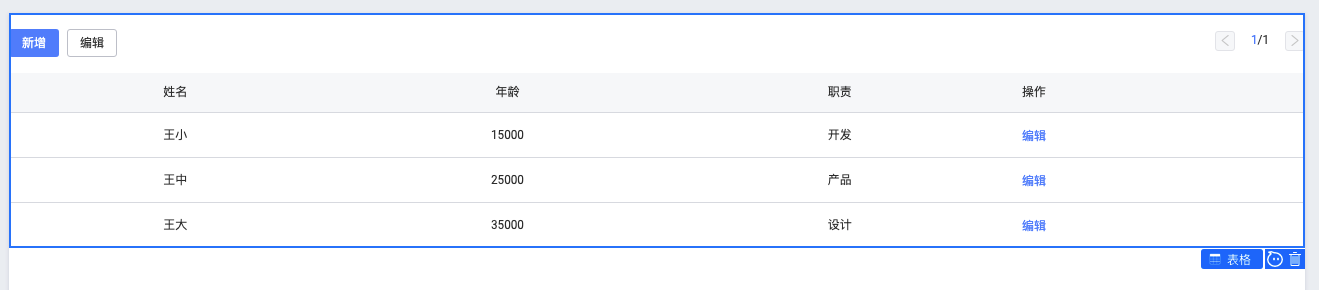
See API reference: API Documentation
Real-World Examples
Block Management
- Repository: https://github.com/alibaba/lowcode-plugins
- Source code: https://github.com/alibaba/lowcode-plugins/tree/main/packages/action-block
- Live replays:
- Low-Code Engine Project Practice (9) - Block Management (1) - Save as Block
- Low-Code Engine Project Practice (10) - Block Management - Block Panel
- Alibaba Low-Code Engine Project Practice (11) - Block Management - Icon Optimization
- Alibaba Low-Code Engine Project Practice (11) - Block Management - Auto Screenshot
- Alibaba Low-Code Engine Project Practice (11) - Block Management - Style Optimization
- Alibaba Low-Code Engine Project Practice (12) - Block Management (Conclusion) - Submitting a PR to the Engine Plugin