Edit Mode Extension Overview
Extension Points Overview
From the Demo project, we can see many blocks on the page:
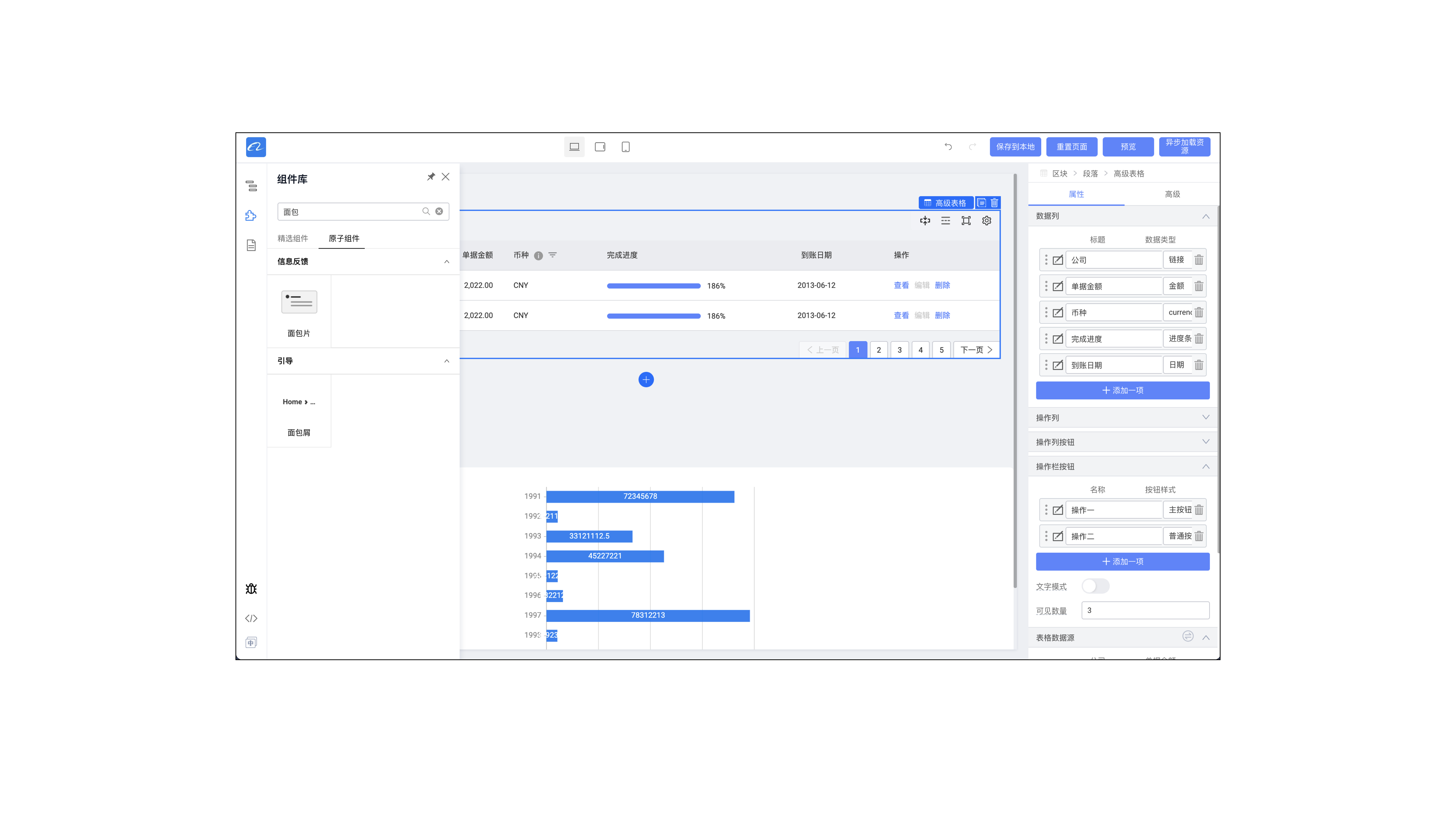 Each of these feature areas is an extensible item, as shown below:
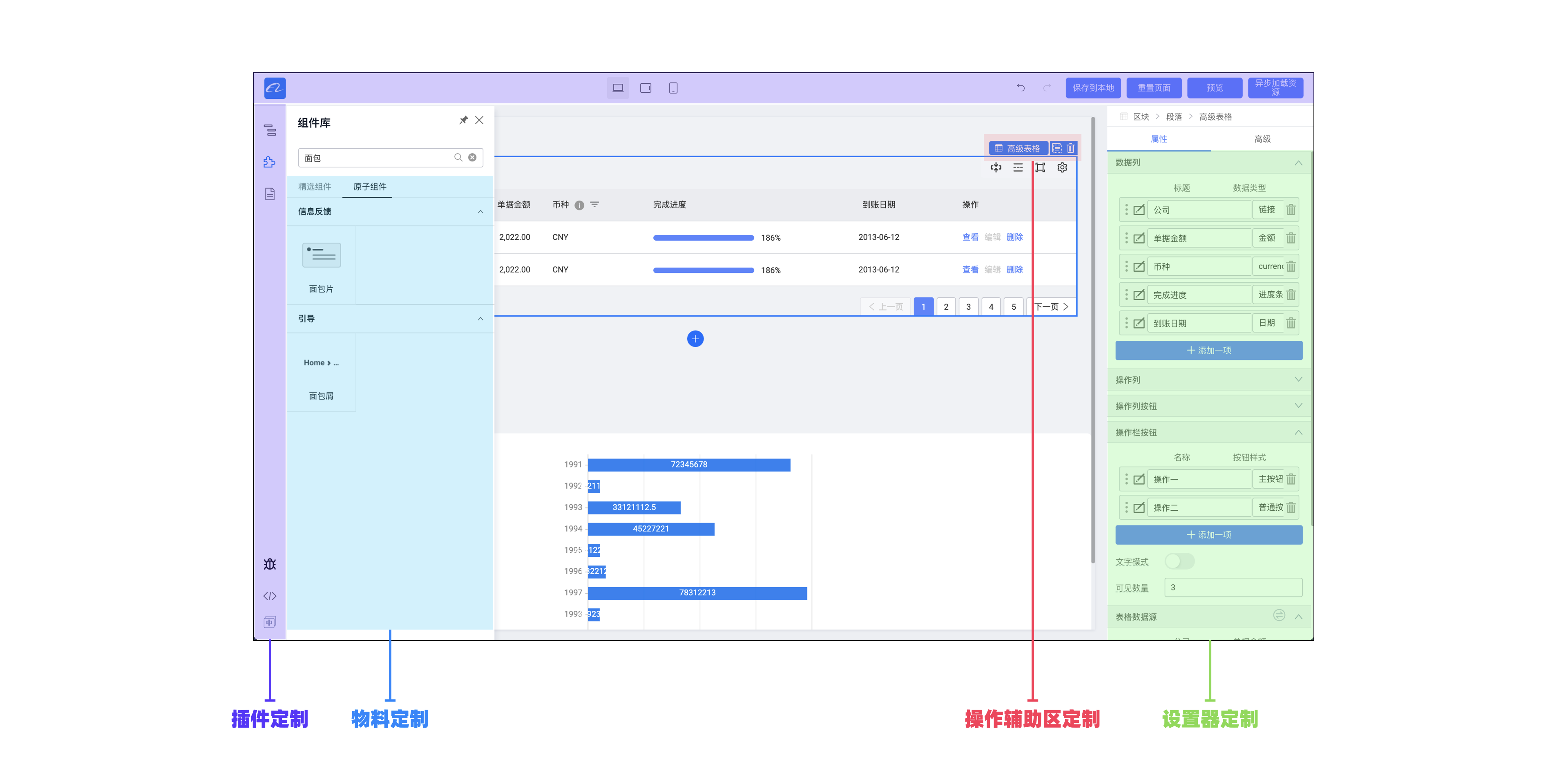
- Plugin customization: Configure low-code editor features and panels
- Material customization: Configure draggable materials
- Operation assist area customization: Configure operation assist area features in the editor canvas
- Setter customization: Configure component configuration forms in the editor
From the perspective of extensible items, the low-code engine architecture can be understood as follows:
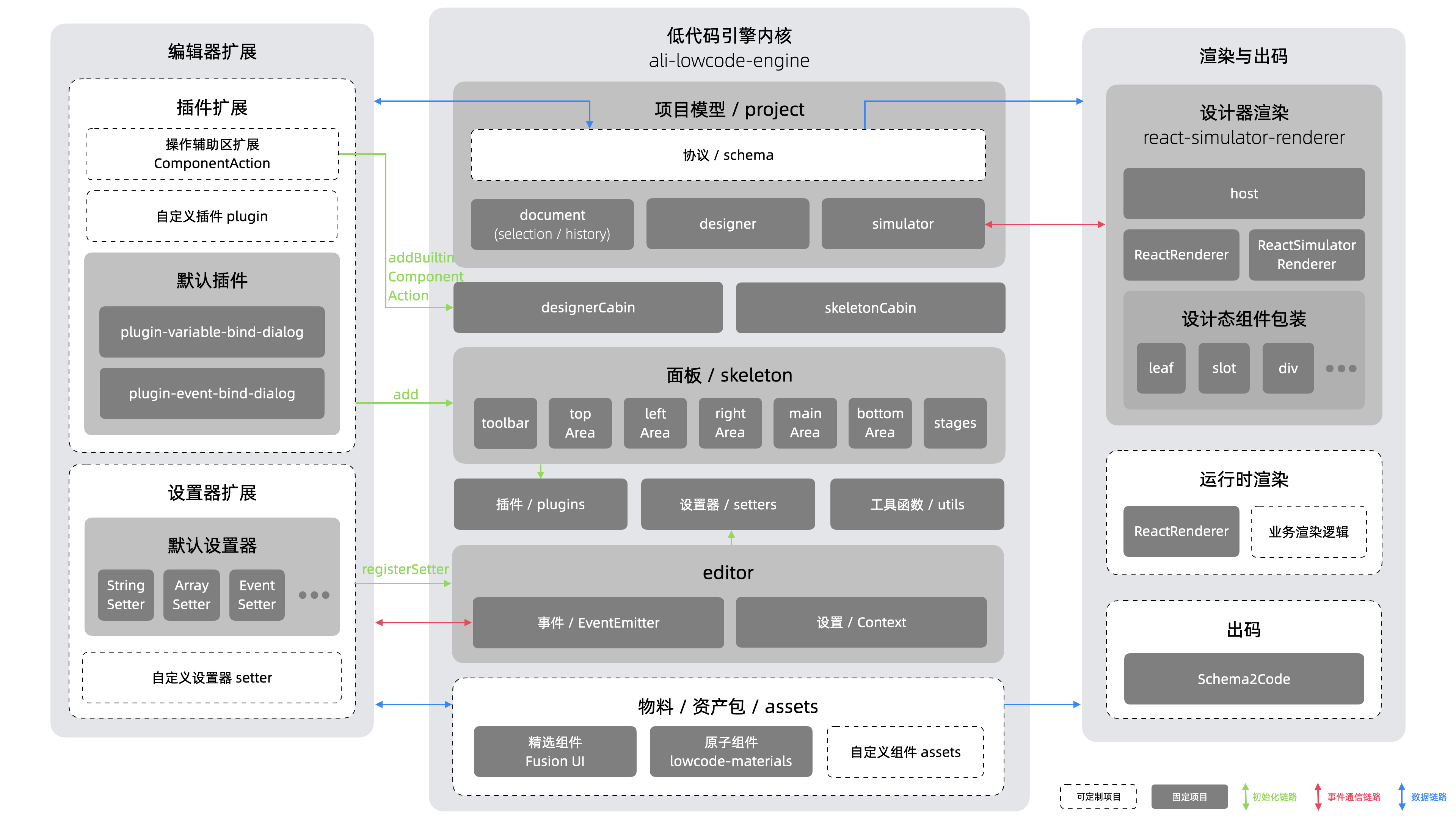 (Note: Many data interaction details in the engine core are simplified. This diagram emphasizes interaction between the editor and external extensions.)
Configuring Extension Points
Configure Materials
Inject materials through configuration. The configuration is generated by the material center according to the material asset bundle protocol. See the "Material Extension" section for details.
import { material } from '@rchh/lowcode-engine';
// Assume materials are configured locally
import assets from './assets.json';

// Load assets statically
material.setAssets(assets);
You can also load materials from the material center asynchronously.
import { material, plugins } from '@rchh/lowcode-engine';
import { IPublicModelPluginContext } from '@rchh/lowcode-types';

// Load assets dynamically
plugins
  .register((ctx: IPublicModelPluginContext) => {
    return {
      name: 'ext-assets',
      async init() {
        try {
          // Replace the links below with your materials, whether via utils from the material center or by importing descriptions directly
          const res = await window.fetch(
            'https://fusion.alicdn.com/assets/default@0.1.95/assets.json',
          );
          const assets = await res.text();
          material.setAssets(assets);
        } catch (err) {
          console.error(err);
        }
      },
    };
  })
  .catch((err) => console.error(err));
Configure Plugins
Community plugins can be imported as npm packages. Configuration example:
import { plugins } from '@rchh/lowcode-engine';
import { IPublicModelPluginContext } from '@rchh/lowcode-types';
import PluginIssueTracker from '@rchh/lowcode-plugin-issue-tracker';

// Register an issue-submit widget in your editor; default position is lower left rail
plugins.register(PluginIssueTracker).catch((err) => console.error(err));
See the "Plugin Extension" section for details.
Configure Setters
The low-code engine includes built-in setters by default (see the "Configure Setters" section). You can import custom setters as npm packages. Configuration example:
import { setters } from '@rchh/lowcode-engine';
// Assume you customized a setter
import MuxMonacoEditorSetter from './components/setters/MuxMonacoEditorSetter';

// Register setter
setters.registerSetter({
  MuxMonacoEditorSetter: {
    component: MuxMonacoEditorSetter,
    title: 'Textarea',
    condition: (field) => {
      const v = field.getValue();
      return typeof v === 'string';
    },
  },
});
See the "Setter Extension" section for details.
All extensible configuration content in this chapter can be found in the demo: https://github.com/alibaba/lowcode-demo/tree/main/demo-general