Low-Code Components
What Are Low-Code Components
First, let's understand what low-code components are and why to use them.
Low-code components are components produced through visual means. These components can be used in both low-code building systems and ProCode development systems (future iteration).
Why use low-code to develop components:
- First: **Light and fast**—low-code components require only browser-based initialization in seconds, without heavy ProCode environment setup; **consistent environment (low-code environment)** ensures the material development environment matches the real runtime environment, avoiding dev/runtime mismatches.
- Second: **Common capabilities abstracted visually to improve R&D efficiency**, such as fetching remote data, view development, dependency management, lifecycle, and event binding.
Creating a Component
Environment setup: Develop using the universal low-code component development environment provided by Parts.
Click Develop New Component → Enter component title → Enter component name → Click Confirm to complete component creation.

Component Development
Overview of low-code component development feature modules. Most features can be referenced in the Low-Code Engine documentation.

Dependency Management
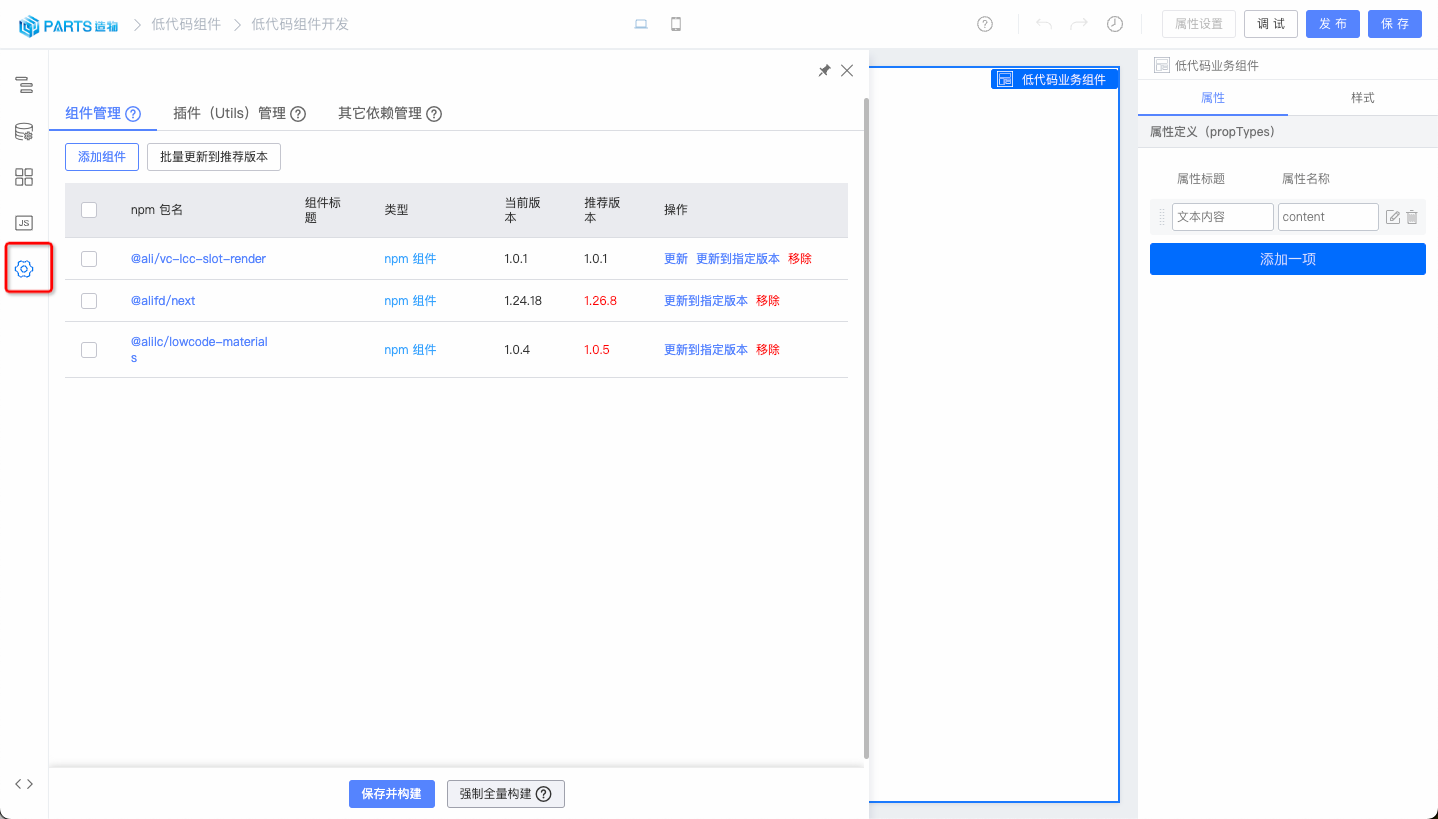
Dependency management manages the low-code component's own dependencies (similar to dependencies). Steps: Click Add Component → Select component to install → Save and Build (wait a few minutes for the build).
Property Definition
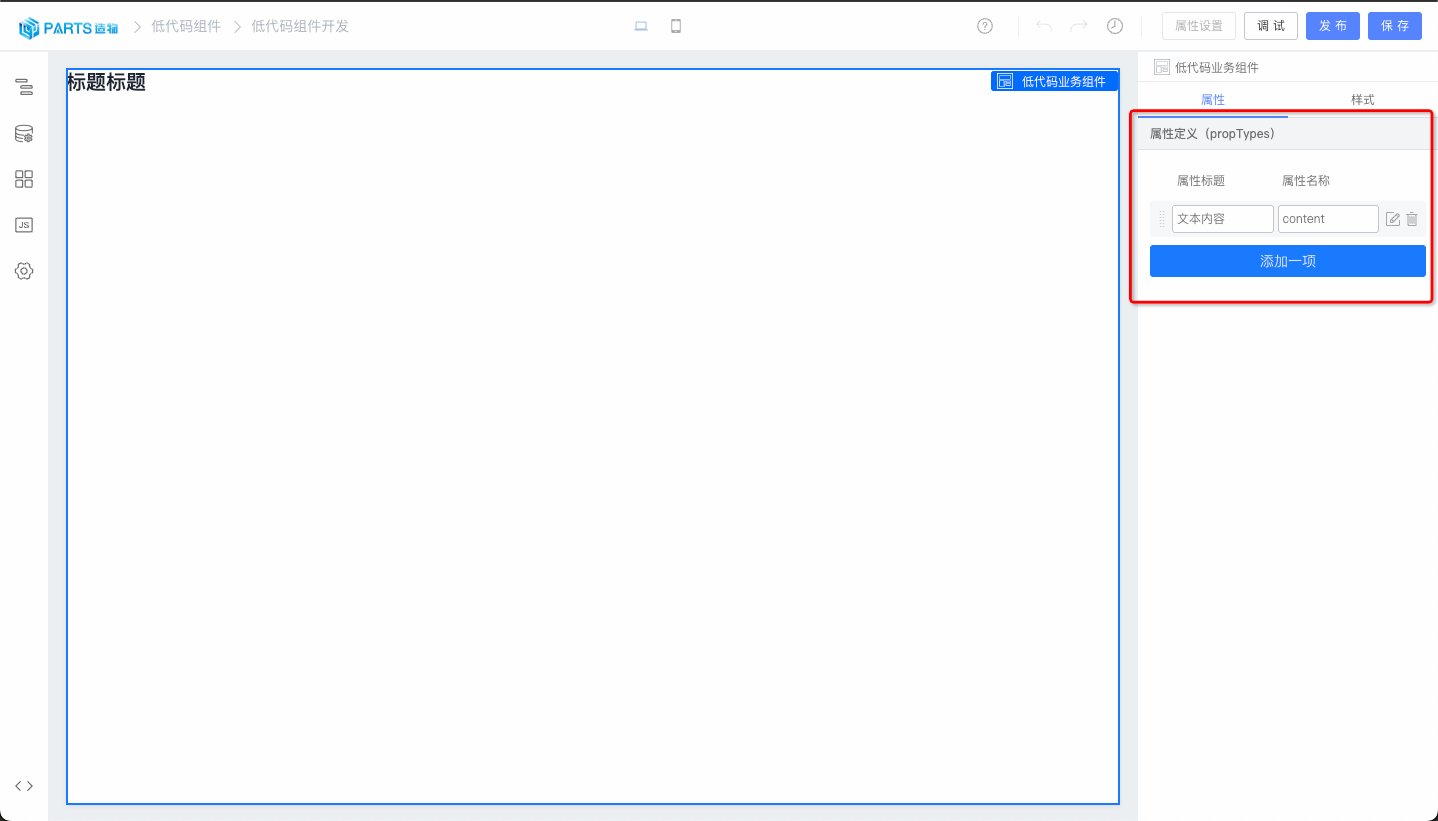
Used to define propTypes the component receives externally. Inside the component, property values can be obtained via this.props.${propertyName}.
Before defining properties, read Material Description Details and Built-in Setters.

Lifecycle
Low-code component development supports componentDidMount, componentDidUpdate, componentDidCatch, and componentWillUnmount lifecycles.

Component Debugging
We provide an online real-time debugging solution. Click the Debug button at the top-right to automatically create a low-code application where you can debug the current low-code component in real time.

In the low-code application: Component panel → Low-code components. Find the corresponding low-code component and drag it onto the canvas.

Component Publishing
We also provide component publishing for version management. Click the Publish button at the top-right to publish the component.

Using Components
Component consumption is managed through asset bundles. See Asset Bundle Management for details.
Component Export
Developed low-code components can be exported as React components for independent use outside the low-code engine. Export also provides a backup of your component—you can use this product's services with confidence without worrying about service unavailability.
On the material list page, low-code components have an export action.
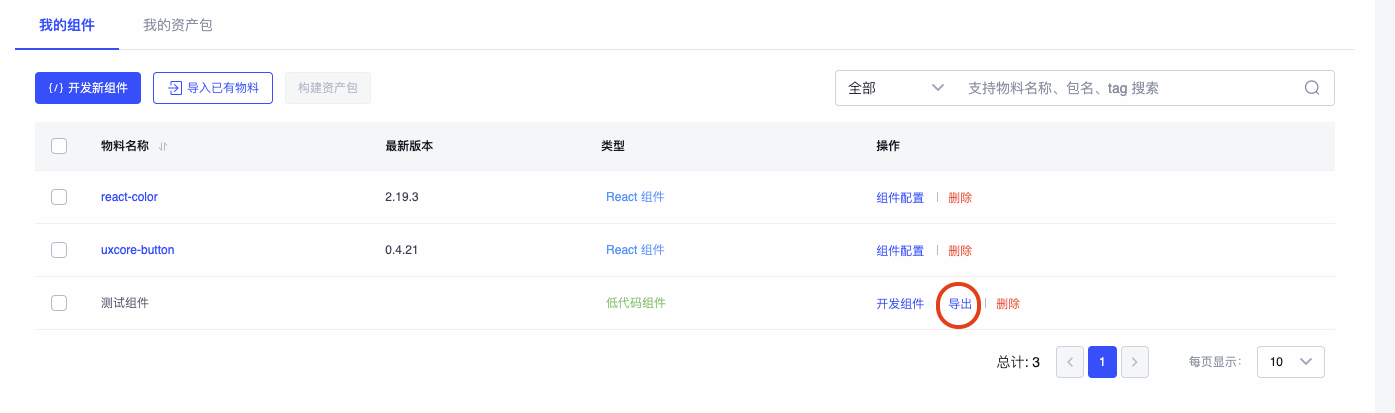
After clicking export, the low-code component export process starts. It takes 10+ seconds. When complete, the corresponding zip package downloads automatically.

After extracting the zip, you get a complete component scaffolding project where you can continue development, debugging, or publish to an appropriate npm registry.

Note: Export currently does not support nested low-code components.
Contact Us